Industry | Government RelationsUnder the hood: Updating the NCBON UI
MANAGER, WEB EXPERIENCE
Information Technology - User Experience Transformation
NCBON.com Website Redesign to Increase Awareness, Engagement, and Improve the User Experience.
MY CONTRIBUTION
Managed the strategy, roadmap, planning, design, development, testing, deployment, and ongoing optimization of NCBON.com. Conducted user research to identify pain points, define personas, and map user journeys, translating insights into data-driven recommendations that improved user experience and engagement. Leveraged qualitative and quantitative analytics to prioritize a backlog of high-impact enhancements aligned with business and customer needs.
Partnered with cross-functional stakeholders to gather business and technical requirements, translating them into well-defined user stories and acceptance criteria for engineering teams. Presented product strategies, wireframes, recommendations, and performance results to stakeholders and executive leadership, ensuring alignment on product vision and roadmap.
Evaluated feature requests and competing priorities to maximize business value, balancing customer needs, technical feasibility, and organizational goals. Drove continuous product improvement through user feedback, experimentation, analytics, and iterative testing. Maintained a consistent user experience across multiple digital platforms while creating and managing web content using WYSIWYG and HTML editors.
THE PROBLEM
The website presented significant usability challenges, with an unintuitive navigation structure that made it difficult for users to locate the information needed to complete key tasks. Additionally, the site relied on an outdated, non-responsive design that provided a suboptimal user experience across devices and failed to leverage modern web technologies and design best practices.
ADDRESSING PROBLEMS
Does the website need any additional functionality?
Does the overall visual aesthetic satisfy users?
Is the landing page compelling?
Can users locate the information they need?
I concentrated on understanding visitor behavior and needs. Attention was given to how content was organized, structured, and labeled.
AFTER ADDRESSING PROBLEMS, MY GOALS WERE TO:
Design an intuitive, accessible user interface that enabled users to efficiently complete key tasks and achieve their goals
Collaborate with cross-functional stakeholders to ideate features, define functionality, and shape an end-to-end user experience aligned with user and business needs
Redesign the site's information architecture, navigation, and content hierarchy to improve discoverability, organization, and usability
Enhance the overall user experience by reducing friction throughout critical user journeys and simplifying interactions
Modernize the website with a responsive, mobile-first design that improved accessibility, usability, and performance across devices
INFORMATION ARCHITECTURE, DESIGN & DEVELOPMENT
I leveraged web analytics, heatmaps, and user behavior data to identify usability issues, uncover friction points, and prioritize opportunities for product improvement. Analytics provided deep insights into customer behavior—including device usage, traffic sources, navigation patterns, engagement metrics, and high-value content—which informed product decisions and roadmap priorities.
Using these insights, I developed data-informed wireframes and experience improvements grounded in both quantitative analytics and qualitative customer feedback collected through surveys, chat interactions, email, and usability testing. User research and click analysis revealed where users encountered obstacles, enabling me to refine the site's information architecture, content hierarchy, navigation, and labeling. This iterative, evidence-based approach resulted in a more intuitive, accessible, and user-centered experience that made information easier to find and key tasks easier to complete.
CONCLUSION
Great design begins with understanding the problem before proposing a solution. Successful digital products are built by first understanding users—their goals, behaviors, pain points, and journeys—and then designing experiences that help them accomplish those goals with minimal friction.
A successful website redesign requires thoughtful planning, user research, data analysis, and close collaboration across stakeholders. By analyzing user journeys and existing workflows, teams can identify opportunities to streamline experiences, validate assumptions, and uncover why certain features are embraced while others go unused. These insights enable informed product decisions that create intuitive, user-centered experiences while delivering meaningful business value.
DELIVERABLES
Project Charter – Defined the project's vision, objectives, scope, stakeholders, and success criteria.
Project Plan – Outlined the execution strategy, timeline, resources, risks, and governance.
Milestones & Timeline – Established key project phases, deliverables, dependencies, and target completion dates.
Functional Requirements – Documented business requirements, user needs, feature specifications, and acceptance criteria.
Wireframes – Created low-fidelity layouts to define information architecture, page structure, user flows, and functionality.
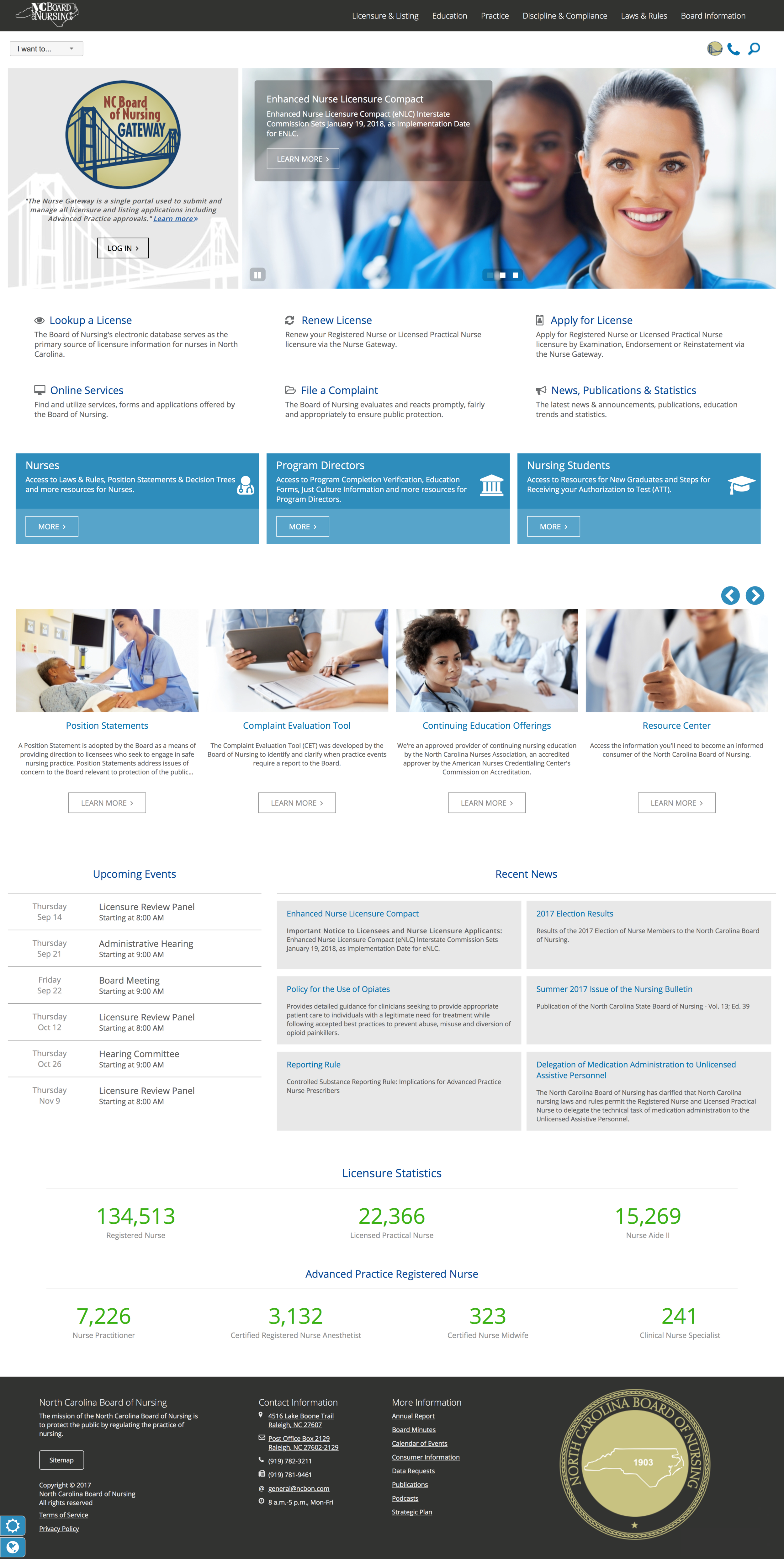
High-Fidelity Mockups – Produced visual designs that demonstrated the final user interface, branding, interactions, and responsive experience prior to development.
PERSONA & USER JOURNEY
-
User 1 - Nurse
“As a Nurse, I need to be able to renew my license so that I can continue working for my employer.”
Awareness — Google’s “ncbon license renewal”, locates and visits NCBON website
Consideration — Browses website for renewal information and Nurse Gateway Portal
Conversion — Locates license renewal page and a link to Nurse Gateway portal to renew license or bypasses the license renewal page and selects “Login” for the Nurse Gateway from the homepage
-
User 2 - Nursing Student
“As a Nursing Student, I need to find resources for new graduates and steps for receiving my Authorization to Test so that I can become a licensed nurse.”
Awareness — Visits NCBON website
Consideration — Browses website for new graduate resources for nursing students
Conversion — Locates section dedicated to nursing students seeking resources for new graduates and information regarding their Authorization to Test from the homepage
-
User 3 - Program Director
“As a Program Director, I need to verify nursing students so they can receive authorization to test.”
Awareness — Visits NCBON website
Consideration — Browses website for Program Director Gateway
Conversion — Locates section dedicated to program directors from the homepage which includes a pathway to the Program Director Gateway
-
User 4 - Credentialing Specialist
“As a Credentialing Specialist, I need to be able to verify a license so that I can check an employees license status.”
Awareness — Visits NCBON website
Consideration — Browses website for License Verification / License Lookup
Conversion — Locates pathway to license verification page from the homepage
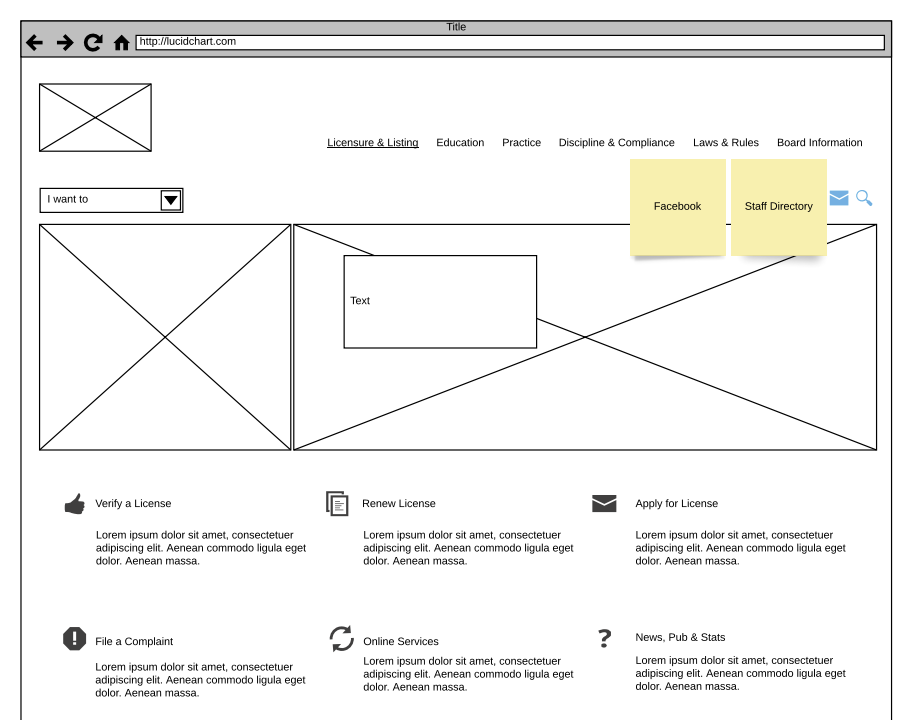
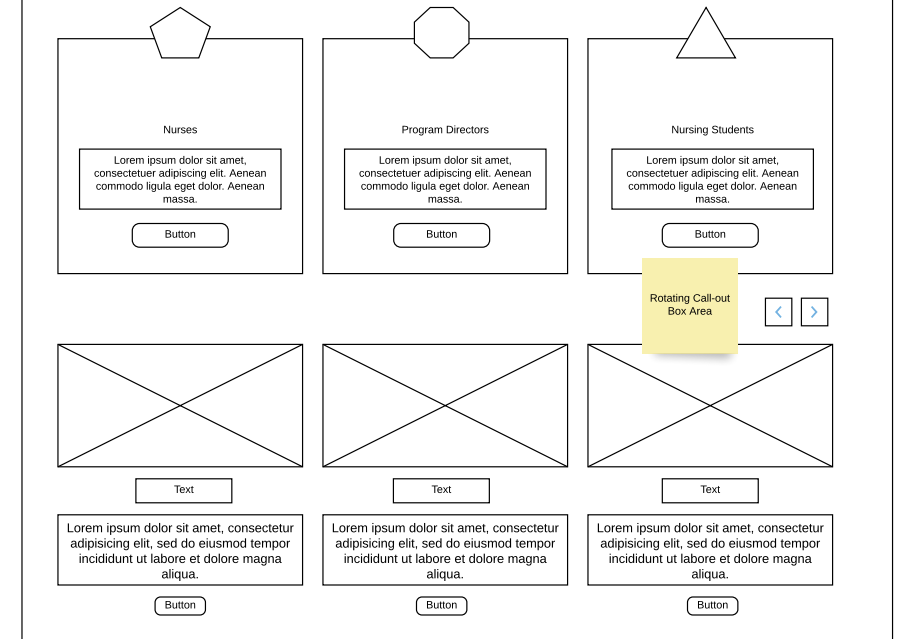
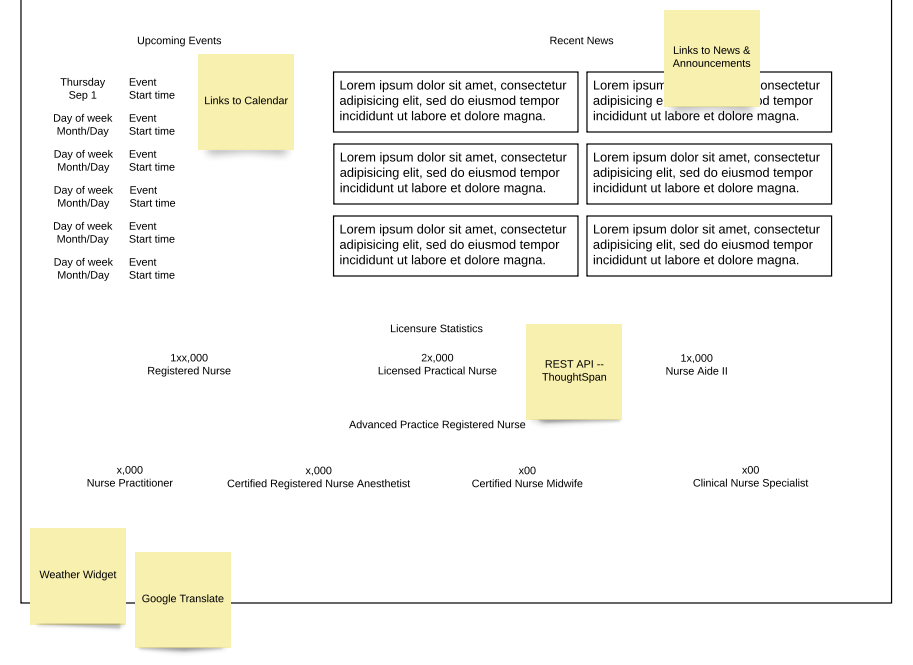
WIREFRAME
MOCKUP
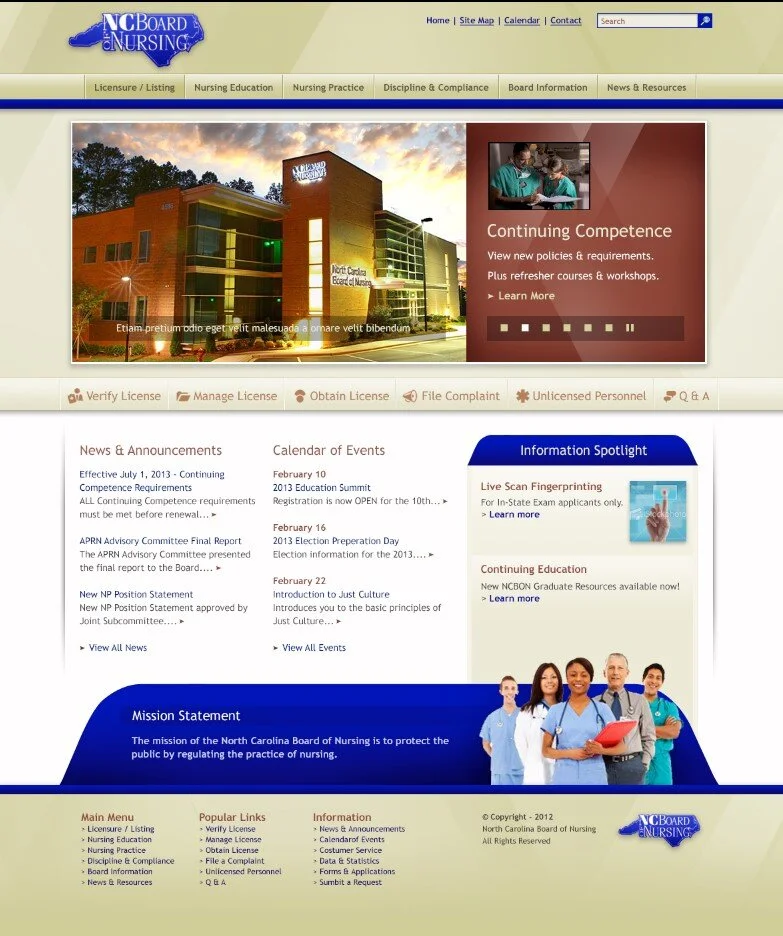
V1